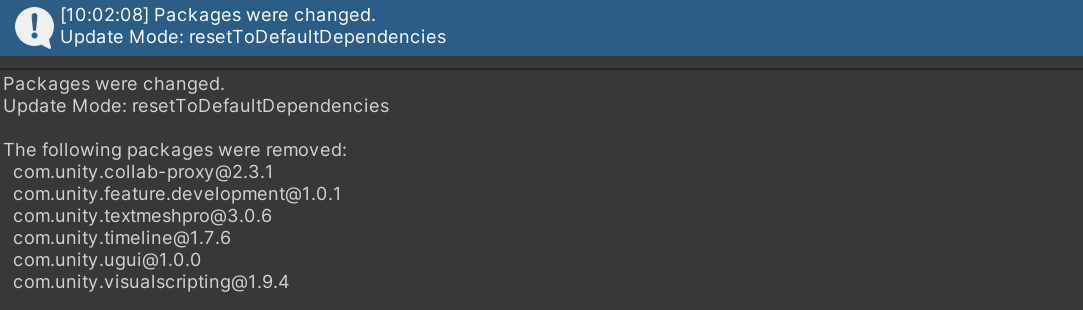
패키지 매니저 Error searching for packages. 오류
오류 메세지
Error searching for packages. An error occurred, likely on the server. Please try again later.
Unable to perform online search:
Request [GET https://packages.unity.com/-/api/search?host=editor&provider=enterprise] failed with status code [502]
UnityEditor.EditorApplication:Internal_CallUpdateFunctions ()

해결방법
프로젝트를 모두 저장 후 종료하고 Unity Hub를 로그아웃 후 다시 로그인 한다.
이후 다시 프로젝트를 실행해서 패키지 매니저를 사용하면 정상 동작한다.
만약 이 방법으로도 해결되지 않는다면
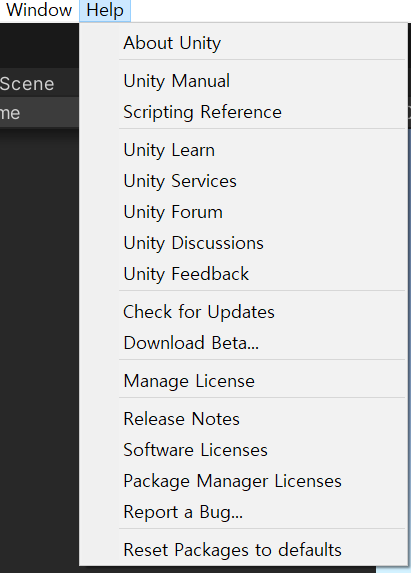
Help > Reset Packages to Defaults 를 눌러 패키지 초기화한다.
단, 패키지 초기화이기 때문에 다운로드한 패키지가 많다면 미리 백업해야함.
금방 초기화가 진행되는데 완료하면 패키지 매니저가 정상동작한다.